End-to-end encrypted Docs.
Because privacy actually matters.
Ciphra is built on Tauri and Convex. Every document, folder name, and media file is encrypted with AES-256-GCM cryptography before
it ever leaves your device. 🔒
🎯Everything you need.
Nothing you don't.
Ciphra is a secure, zero-knowledge workspace with one absolute rule: every document and file is encrypted before it
ever leaves your device.
Zero-Knowledge Security
Everything is encrypted on your device using AES-256-GCM before it ever touches the cloud. Convex only sees ciphertext.
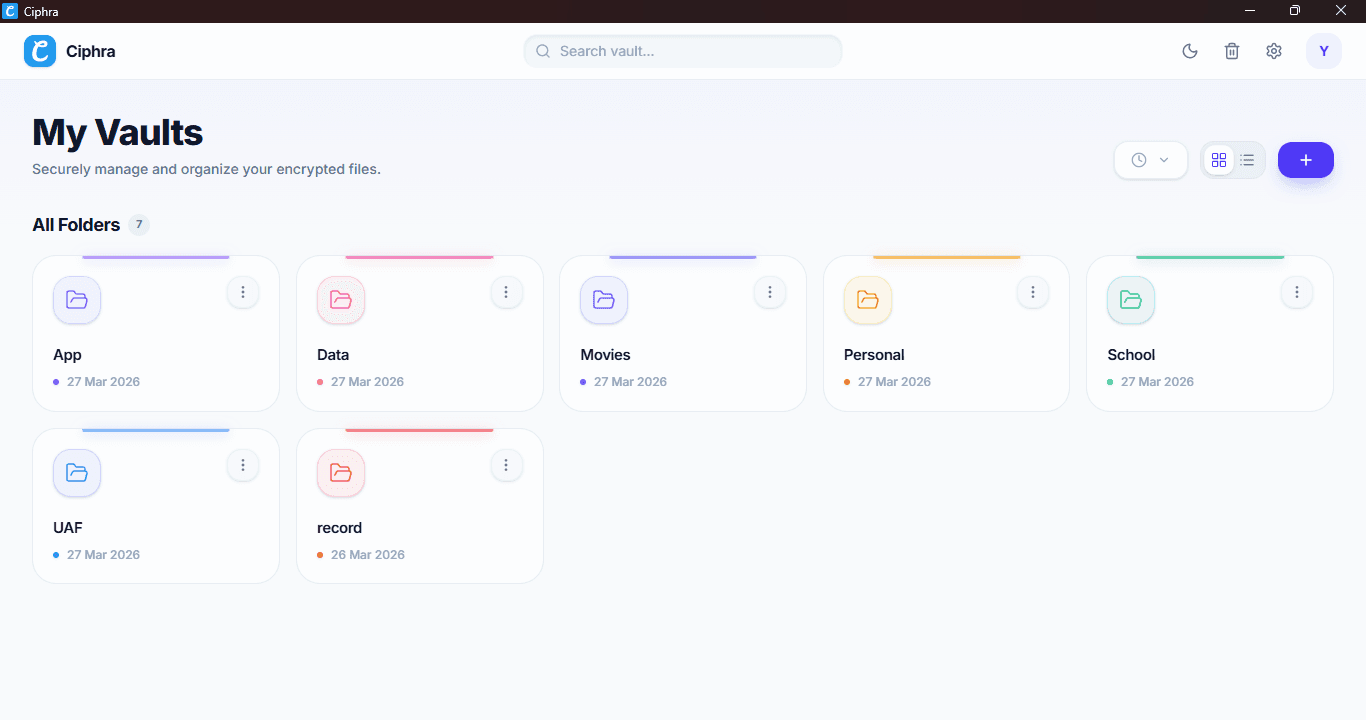
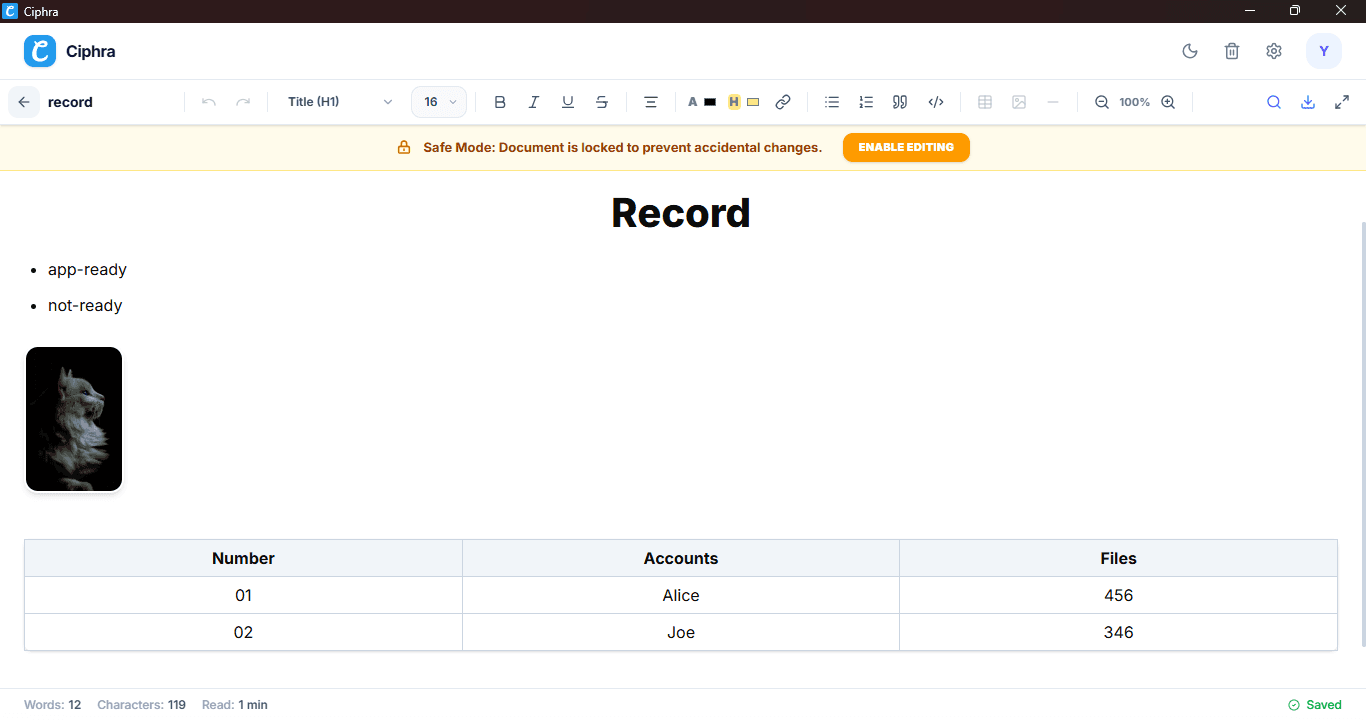
Rich Text Editor
A distraction-free, full-screen TipTap editor with slash commands, tables, code blocks, and granular text formatting.
Encrypted File Vault
Securely upload images and PDFs up to 15MB. Files are fully encrypted locally before being stored in the cloud.
BIP39 Mnemonic Auth
No passwords or emails. Your 12-word recovery phrase is the absolute only key to decrypt your private workspace.
Smart App Lock
Protect your session with a 6-digit PIN. Features inactivity auto-lock and instantly wipes the RAM key when closed.
30-Day Recycle Bin
Deleted items go to a secure bin. Convex scheduled crons permanently purge items automatically after 30 days.
Custom Folder System
Organize your vault with unlimited folders. Customize them with unique colors and names—all securely encrypted.
Focus & Safe Modes
Enter Focus Mode for pure, distraction-free writing. Safe Mode locks documents by default to prevent accidental edits.
Native Exports
Instantly export any of your encrypted documents directly to your local machine as clean PDF or Markdown (.md) files.
Seamless Auto-Updater
Cryptographically signed updates delivered directly to your desktop. The built-in kill-switch ensures you're always secure.
Encrypted Auto-Save
Never lose your work. The editor debounces and encrypts your keystrokes every 500ms before saving to the database.
Starred Favorites
Star important documents and folders to pin them for quick access across your entire encrypted workspace.
Storage Analytics
Track your vault's capacity with a visual storage usage bar that breaks down your data allocation in real-time.
Media Viewer
A built-in, full-screen viewer to securely open and inspect your decrypted images and PDFs without leaving the app.
Grid & List Views
Toggle seamlessly between visual grid layouts with image thumbnails or detailed list views sorted by size and date.
Complete Data Control
You own your data. Export your entire vault as a ZIP file, or permanently delete your account and wipe the server.
🎨 Designed for daily use
Clean, fast, and truly native. Say goodbye to heavy Electron wrappers and experience desktop app the way it was meant to be.
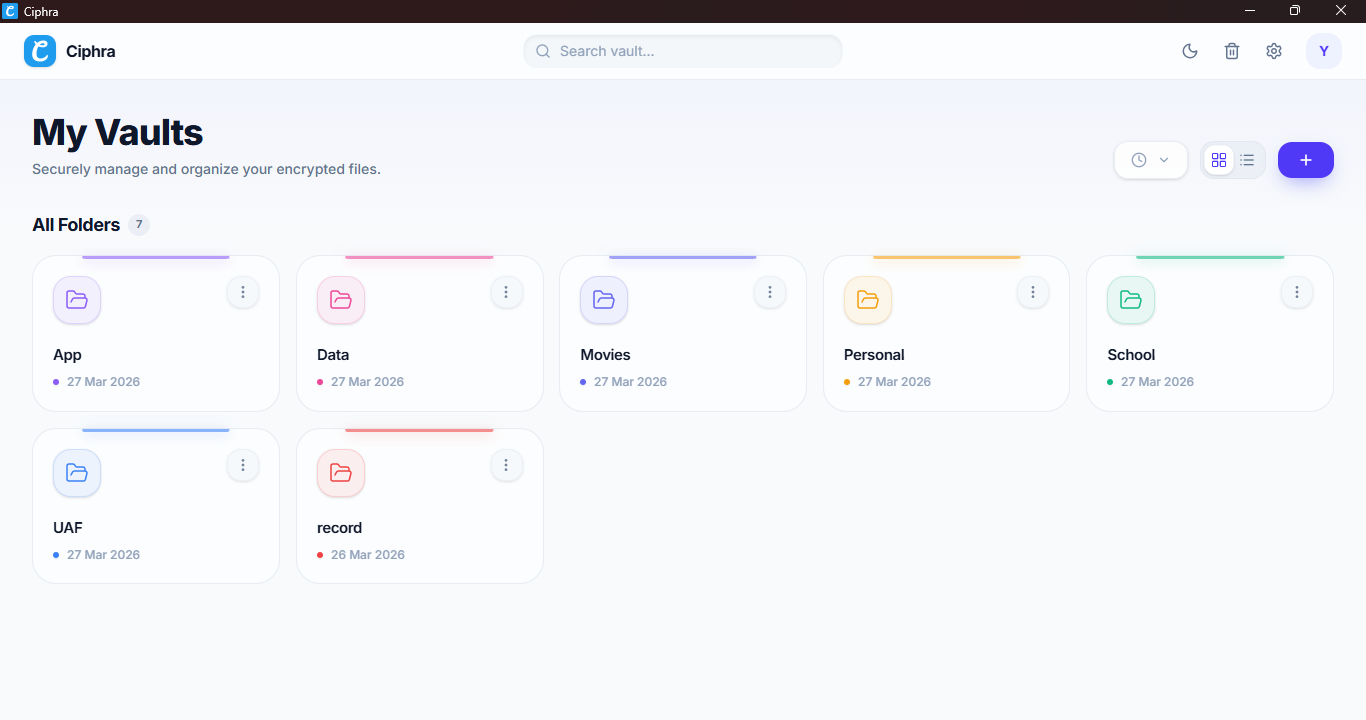
Private Workspace
Organize your encrypted folders with custom colors and names. 100% private.
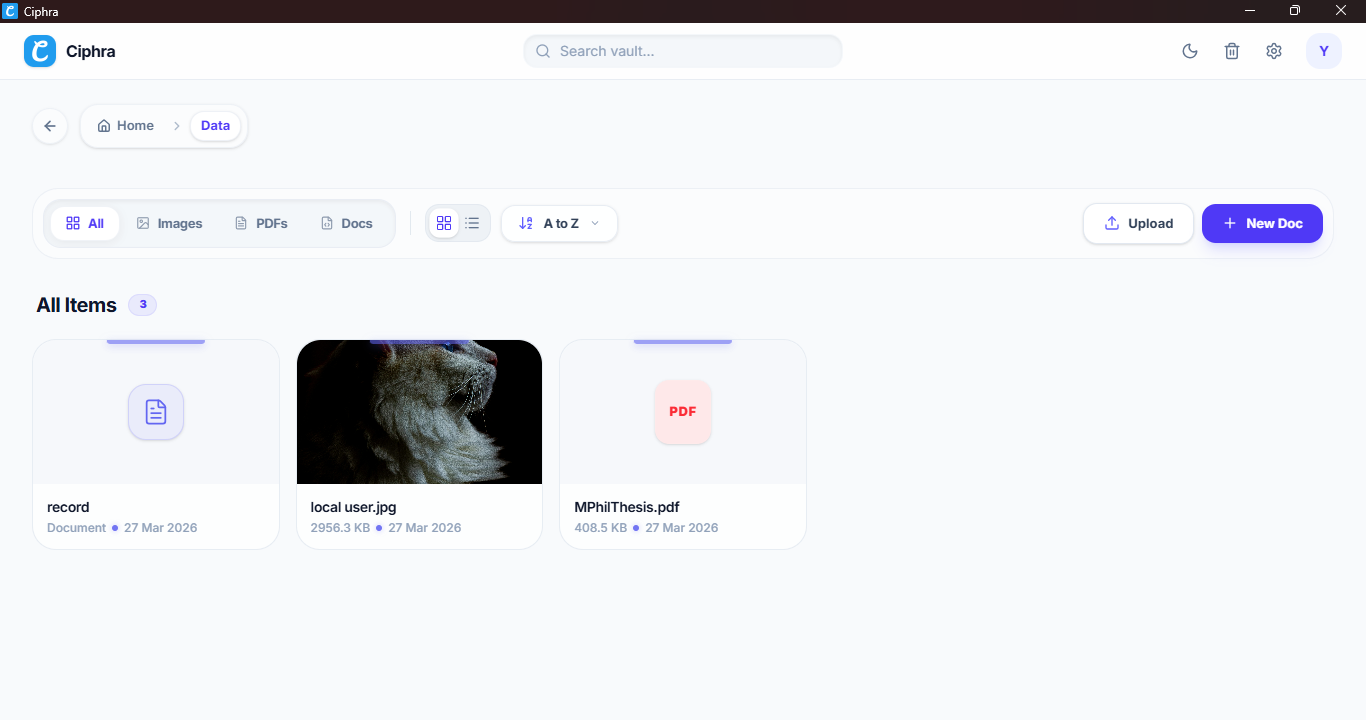
Encrypted Vault
Securely store, view, and manage your encrypted documents, PDFs, and images.
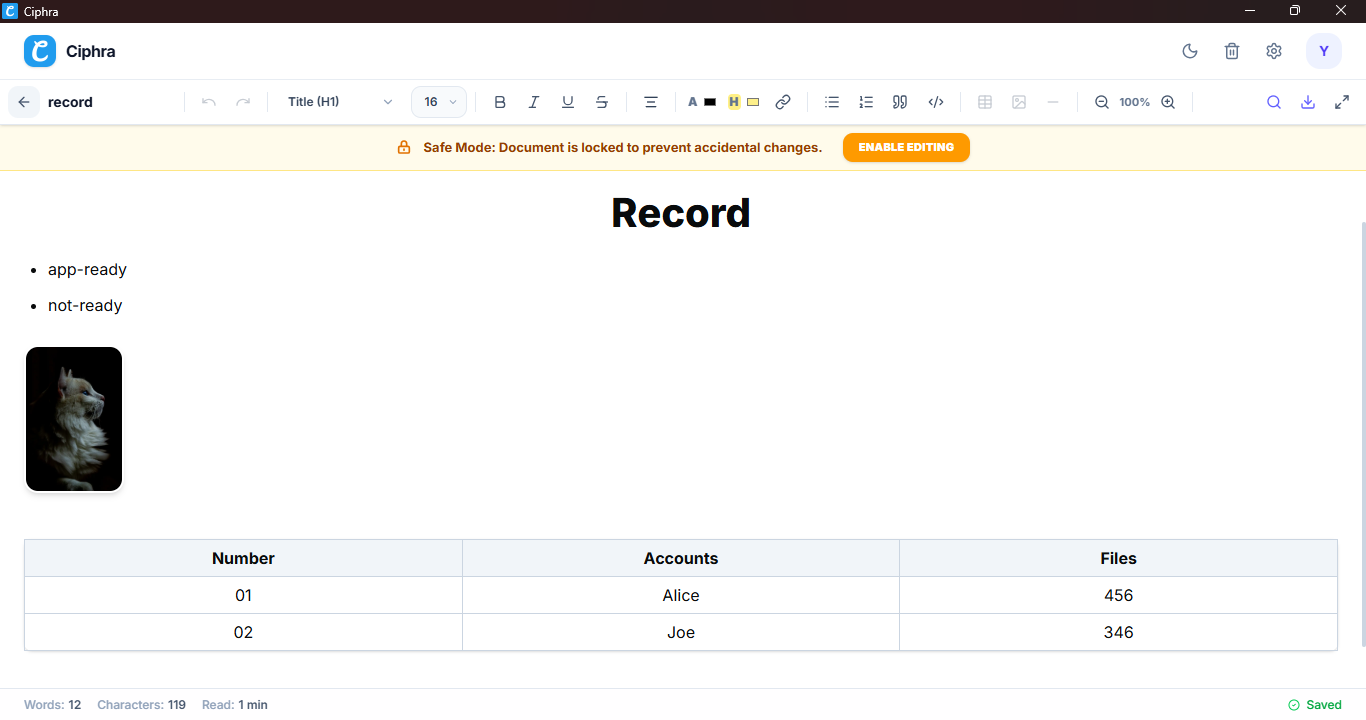
Rich Text Editor
Distraction-free, full-screen TipTap editor with rich formatting and auto-save.
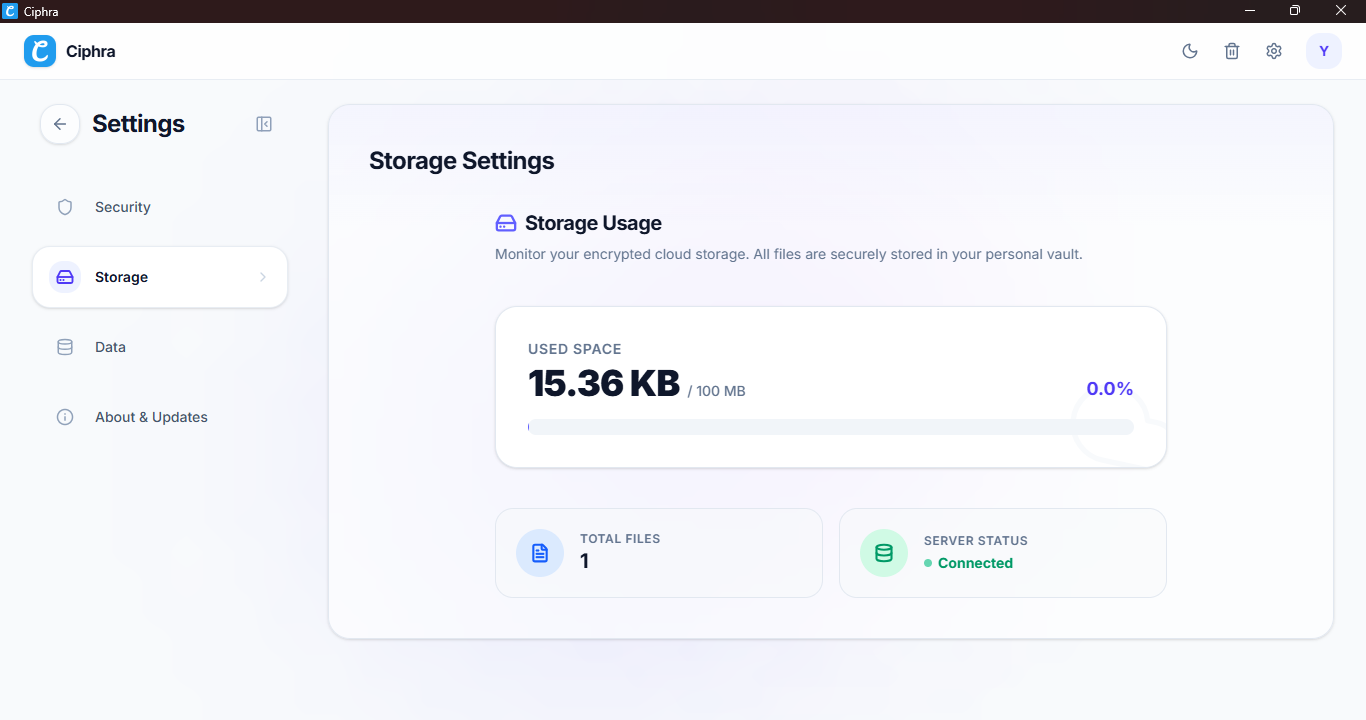
Settings & Control
Take full control of your storage, data exports, app lock, and preferences.
🔒Privacy by default.
Not by policy.
Tier 1 — Full Session
Default Mode
When App Lock is off, Ciphra runs in full session privacy mode. Your private key is derived and held only in RAM. The moment you close the app, nothing is written to disk. A forensic examination of your device after closing finds nothing.
► App opens → mnemonic entered
↳ secretKey derived in RAM
↳ session active
■ App closes → RAM cleared → no trace
System tray toggle: Enabling tray keeps app in background. Disabling means close = full process exit = RAM wiped.
Tier 2 — App Lock
Opt-in Mode
Enable App Lock to avoid re-entering your 12 words on launch. Your private key is AES-GCM encrypted with a 6-digit PIN and stored locally. The PIN is never saved without it, the stored blob is cryptographically useless.
► Enable App Lock → set PIN
↳ AES-GCM encrypt(secretKey, PIN)
↳ store encrypted blob locally
↻ App restart → enter PIN
↳ decrypt → secretKey in RAM
Auto-lock timers: 1 min, 5 min, 30 min, 1 hr. Lock screen hides profile picture and bio zero information leakage.
| Security Feature | Tier 1 (Default) | Tier 2 (App Lock) |
|---|---|---|
| Login required every launch | Yes — 12-word phrase | No — 6-digit PIN |
| Private key on disk | Never | AES-GCM encrypted only |
| Data after app close | Zero trace | Encrypted key blob only |
| Best use case | Maximum privacy | Daily convenience |
⚡Engineered with modern tech
for absolute privacy.
Tauri v2
Rust native runtime
React 19
UI framework
Convex
Real-time backend
TweetNaCl
Cryptography
Tailwind CSS v4
Styling
TypeScript
Type safety
Zustand
State management
Tiptap
Document Editor
⬇️ Get Ciphra for your OS
Download Ciphra for Windows and Linux. Free, open source, and built for
privacy from the ground up.
Windows Package Manager
RECOMMENDED WAY TO INSTALL
$winget install Ciphra.CiphraAll downloads are cryptographically signed.
View all releases on GitHub →🤝 Join the revolution
Ciphra is built by the community, for the community. Ask questions, report bugs, suggest features, or just say hello.
👋 Meet the Developer

Muhammad Hassan
Developer · Student
I built Ciphra with the help of Claude and Gemini to create a private, native desktop docs app I could actually trust where the server cannot read your documents, not just by policy but by cryptographic design.
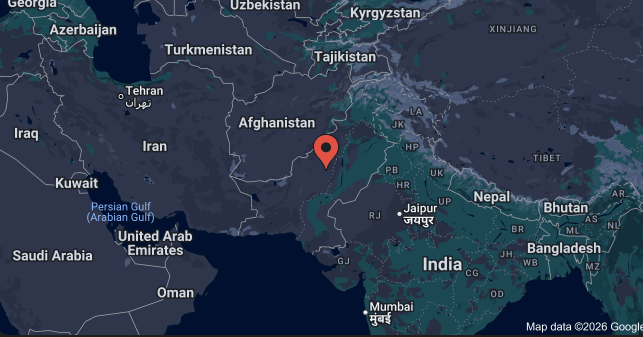
Built in Pakistan, protecting users worldwide.
Free Forever
Open source protocol.
100% Native
Rust & React stack.